Lecan Share Pro: Portable session backups for Chromium browsers
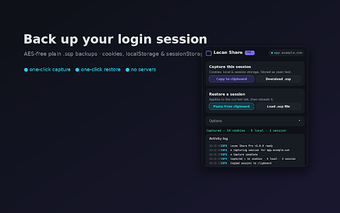
Lecan Share Pro, from Lecan Solutions, is a Chrome extension that backs up and restores active website login sessions for migration and testing purposes. The extension saves and reloads authentication state as portable files and can copy session data to the clipboard, operating entirely inside the browser. It lets users move sign-ins between devices without re-entering credentials. The tool targets web developers, testers, and power users who need controlled, local handling of session data.
What the extension actually saves and why that matters
The extension captures the live authentication state for the site open in the active tab by reading site storage and cookies. It explicitly accesses cookies, including HttpOnly values, and both localStorage and sessionStorage. Capturing those three storage surfaces lets technical users reproduce a fully signed-in environment in another browser instance for debugging or replaying flows that require authenticated access.
How private session handling is implemented in practice
All capture and export operations run locally inside the browser, with no network calls to external servers and a stated privacy-first policy from the developer. Exported session files are not encrypted and therefore contain sensitive session data, and the developer advises storing them privately and using them only for accounts you own. This design reduces external transmission but shifts responsibility for file security to the user.
How session transfer and restoration is performed across browsers
The extension provides file-based export and a copy mechanism so session data can travel between browser instances. Restoring a saved session requires the extension to be present on the target browser and operates per active tab, so each origin must be restored separately. The workflow suits device-to-device transfers where the recipient browser runs a Chromium-based build and has the tool installed.
Practical limits that affect real-world workflows
The tool captures storage only for the current tab's origin, so bulk captures across many sites require repeated exports. It is available only for Chrome and other Chromium-based browsers and is listed at versionBecause the extension reads and writes site storage and cookies, users should run it in controlled environments; shared or public machines increase the risk of exposing sensitive session data.
A focused utility for technical users who accept manual file handling
The extension suits developers, testers, and power users who need direct, local control over authenticated-session migration and who can manage exported session files securely. It rewards disciplined operational practices and per-site workflows, but it is not a turnkey solution for large-scale, automated session syncing. Choose it when precise, manual session transfer fits your testing or migration workflow.